Pixels get QPR2 update
Last year, Google announced that it was making some changes to the rollout of updates. The release of Android 16 was brought forward, and with more frequent releases, Google wants to "offer new features when they are ready". That moment is now, with the arrival of the Android 16 QPR2 update. This new version is being distributed as of now for the various Pixel devices. To be precise, the following models are affected; Pixel 6, 6 Pro, 6a, 7, 7 Pro, 7a, Tablet, Fold, 8, 8 Pro, 8a, 9, 9 Pro, 9 Pro XL, 9 Pro Fold, Pixel 10, Pixel 10 Pro, Pixel 10 Pro XL and Pixel 10 Pro Fold.
There are a lot of new features that come with the update, but Google hasn't forgotten about bug fixes either. We list those for you at the bottom. The update for the Pixels comes out around 700-800MB, depending on the device. The update will be combined with December's new security update.
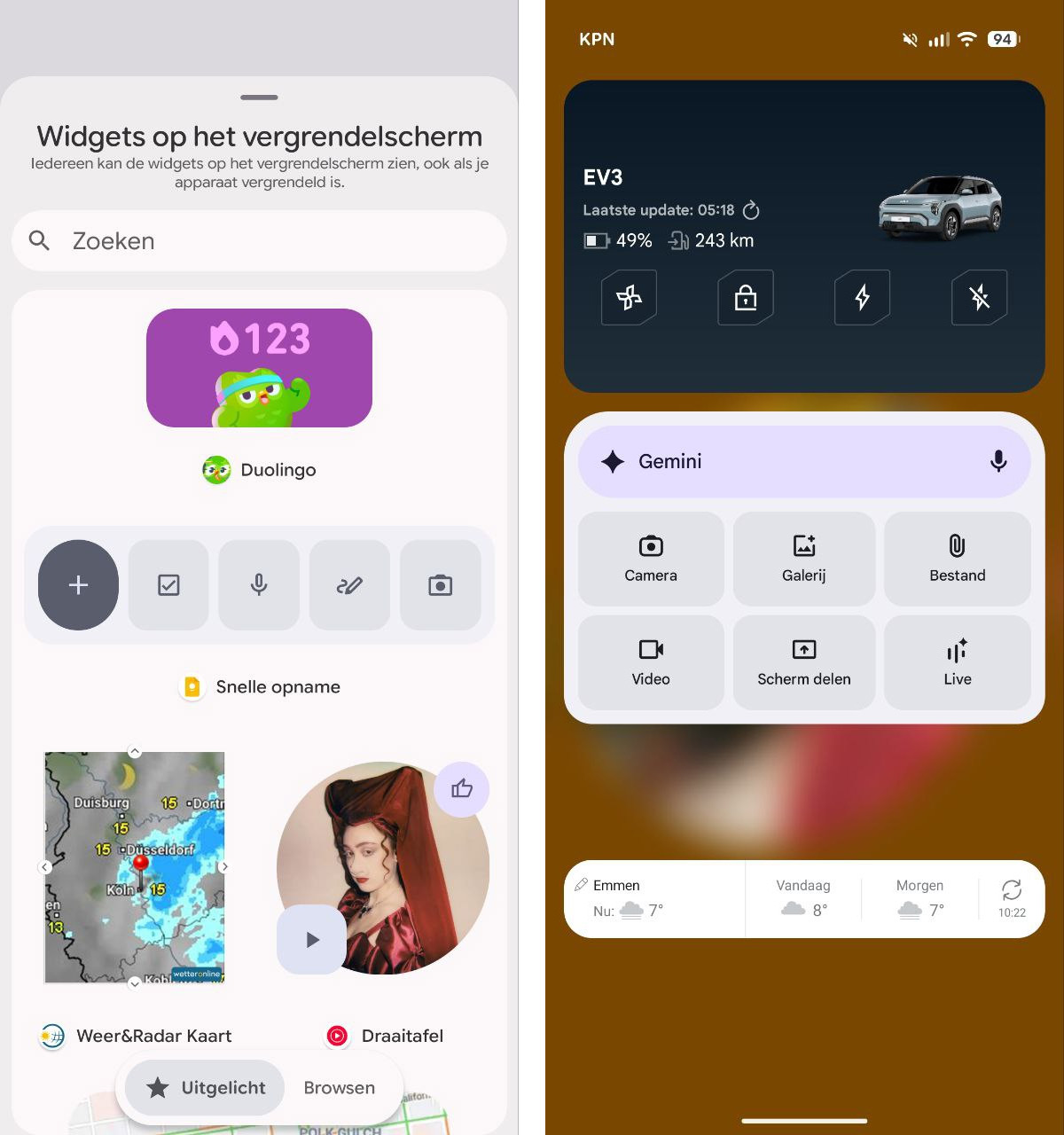
Widgets on lock screen
You will see the biggest change as soon as the screen turns on. This is because Android 16 QPR2 introduces widgets for on the lock screen. These are available when you swipe left on the lockscreen. You can find the settings for this under Settings > Screen and touch > Lock screen > Widgets on lock screen. Google informs that anyone can see the widgets on the lockscreen without unlocking. However, authentication is required when opening the app. You can customise the widgets by pressing on the screen. You can then remove widgets, enlarge them or choose from widgets via 'Add widgets'. A new option is that you can tap on the two-line clock display, after which it becomes thicker.
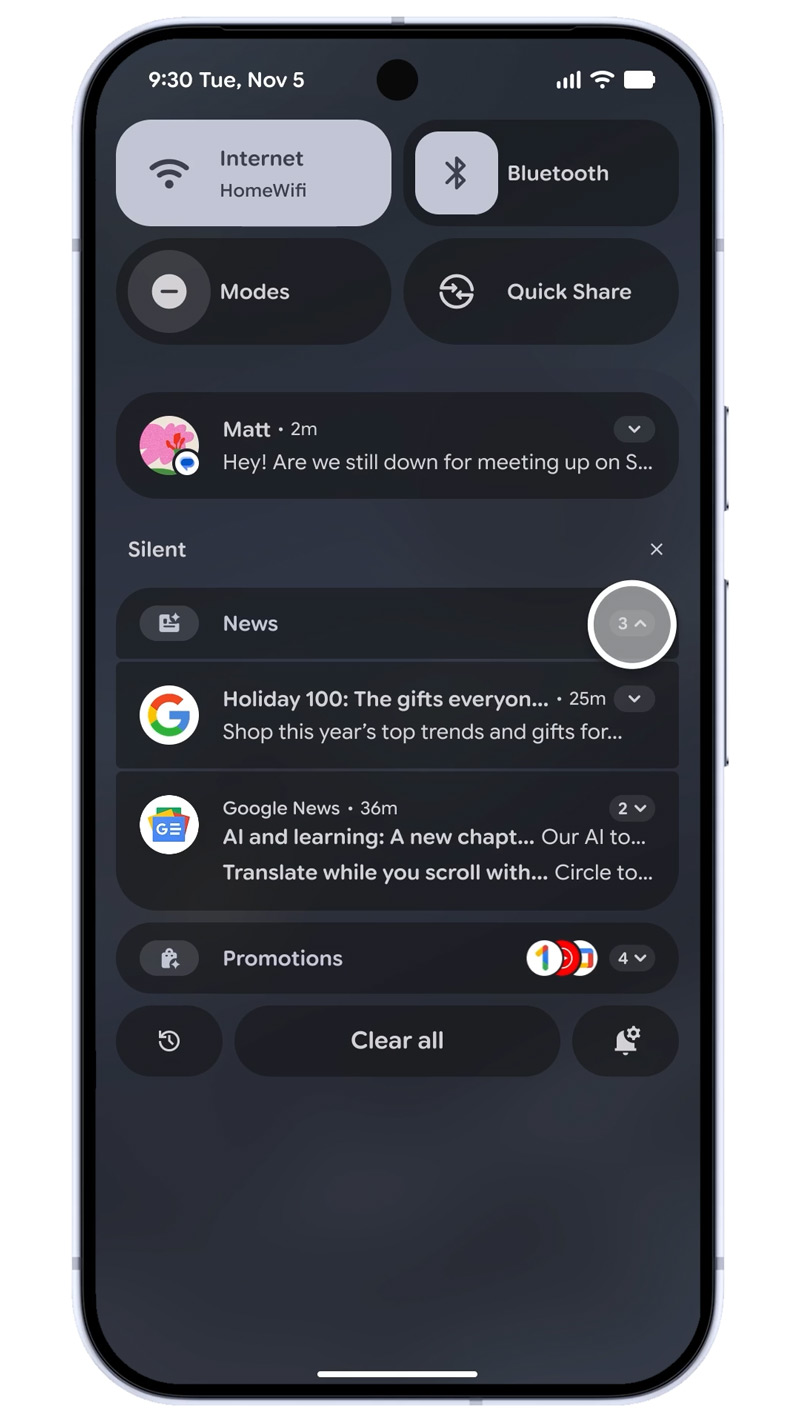
Notifications
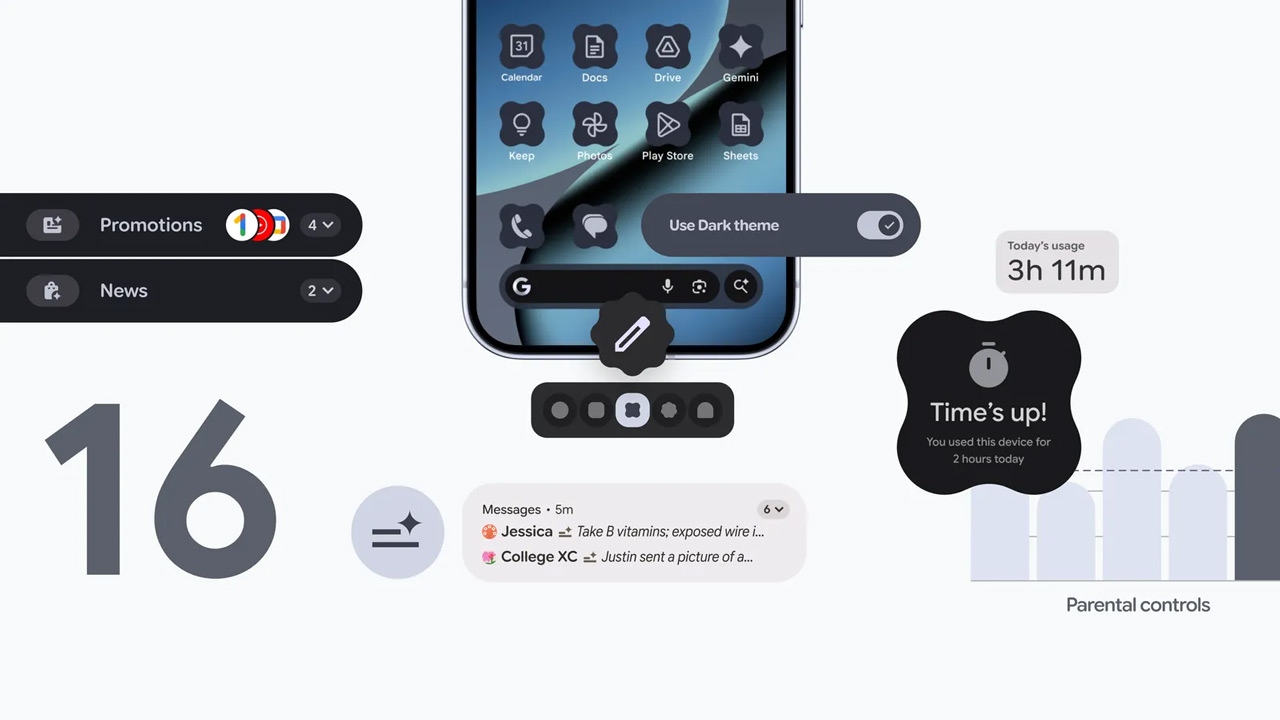
On the notifications front, improvements have also been made. In addition to the previously released AI summaries, Google is introducing the notification organiser. With this, low-priority notifications are automatically grouped into categories. For instance, you can think of News, Offers and Social media. For minimised apps, the corresponding icons are stacked on the right side of the notification.
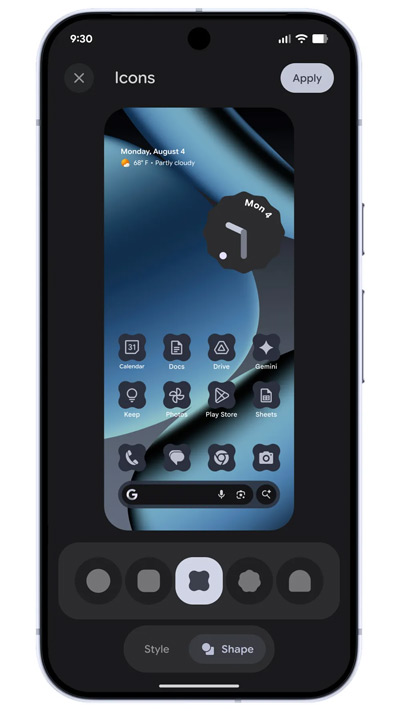
Icons, dark theme and Live Caption
You can now choose custom icon shapes in settings, under Background and Style. Besides the standard familiar circle, you can choose from four additional shapes. You will only see these icons on the home screen of the phone or tablet. Thematic icons are also supported, so the colour and look matches the rest of the phone. Dark mode has also been improved. With the expanded option in dark theme, you can choose to put any app in a dark theme, even if it does not originally have a dark theme. According to Google, the advantage of the dark theme is that it saves energy and is less stressful on the eyes.
Live Caption has been enhanced with a handy hotkey. From now on, you can call this option when displaying the volume control. So you no longer have to call up the whole screen for this.
More Material 3 Expressive
The design of Android 16 is characterised by the sleek Material 3 Expressive. Several things in the Android version have been taken in hand. For instance, the Settings app has been revamped, and so has the 'Security and Privacy' section. Google has further added map shapes and larger icons to the notification history.
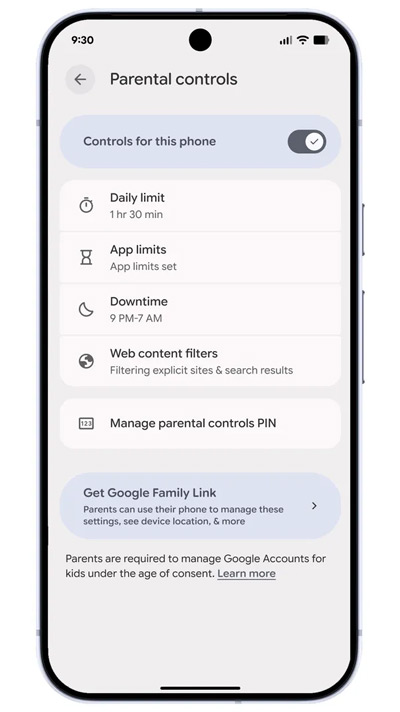
Other improvements
A few more features have been tweaked with the Android 16 QPR2 update. Parental Control is now separate from the 'Digital Wellbeing' option, although it still offers the same management options. Under the 'Display and touch' option, you will find a slider for intensity under the Enhanced HDR brightness. Also, Health Connect can directly record steps tracked by the device.
Bug fixes
As mentioned, the update also includes a series of improvements and bug fixes. It is a long list of improvements ready to go. Many of the issues fixed were related to crashes, hiccups or situations where components were not responding properly. Think screens that blinked, went black or had a delayed response when unlocking, and apps or system components that didn't always close or start smoothly. Improvements have also been made to sensors, memory management and overall performance of both the system and network connection.
In addition, this update tackles a series of practical issues you might encounter in everyday use. For instance, bugs have been fixed around audio, Bluetooth connectivity, fingerprint unlocking and camera stability. Specific features, such as Picture-in-Picture, Live Caption and Quick Settings, also now work more reliably. For foldables, extra attention has been paid to screen issues during gaming and display errors on the internal display.
Finally, several improvements have been made to the user interface. You should be less likely to have to deal with flickering keyboards, blank screens in Google Home, incorrectly displayed notifications or animations sticking. Wi-Fi stability has also been improved on some models.
Rollout
Good news for Pixel users, as the new update is rolling out for different devices from now on. Thus, we see the update rolling in on the Pixel 10 Pro XL and the Pixel 10 Pro Fold, but Richard also informs us that the update has arrived on the Pixel 8 Pro. If you can download the update, you will get a notification of the update. You can also force the update by going to Settings > System > Software Updates > System Update, and check for updates there. The installation may take some time.